

















HP Tablet Onboarding Experience
HP Small Business Self-Service Tablet Onboarding Experience
Setting up a tablet for business use means provisioning accounts, installing apps, and configuring settings — a process that typically leaves the user sitting idle, watching progress bars, waiting for it to finish before they can do anything.
HP needed a self-service onboarding experience for small business tablets, covering three distinct deployment scenarios: Education, Enterprise, and Kiosk. I was brought in to design the flows and visual experience across all three.
The three-step onboarding flow — provisioning, app installation, and configuration — across the final visual design.

Provisioning Account

Install Apps & Content

Preferences & Settings
Approach
The core problem with tablet setup is that installation time is treated as dead time. The user has no choice but to wait. The design direction was to treat each app download as an unlocking event — the moment an app finished installing, the user could open and start using it, rather than waiting for the entire process to complete.
This reframed the setup process from a single wait into a sequence of progressively available interactions.

Education Mode
Education Mode onboarding flow — showing the step-by-step sequence and the points at which apps become available to the user.
Three separate flows for Education, Enterprise, and Kiosk
Each deployment scenario had different provisioning requirements, different apps, and different end states. A shared flow with conditional branches would have produced a process that didn't clearly fit any of them. The decision was to design three distinct flows — Education, Enterprise, and Kiosk — each scoped to exactly what that deployment needed.

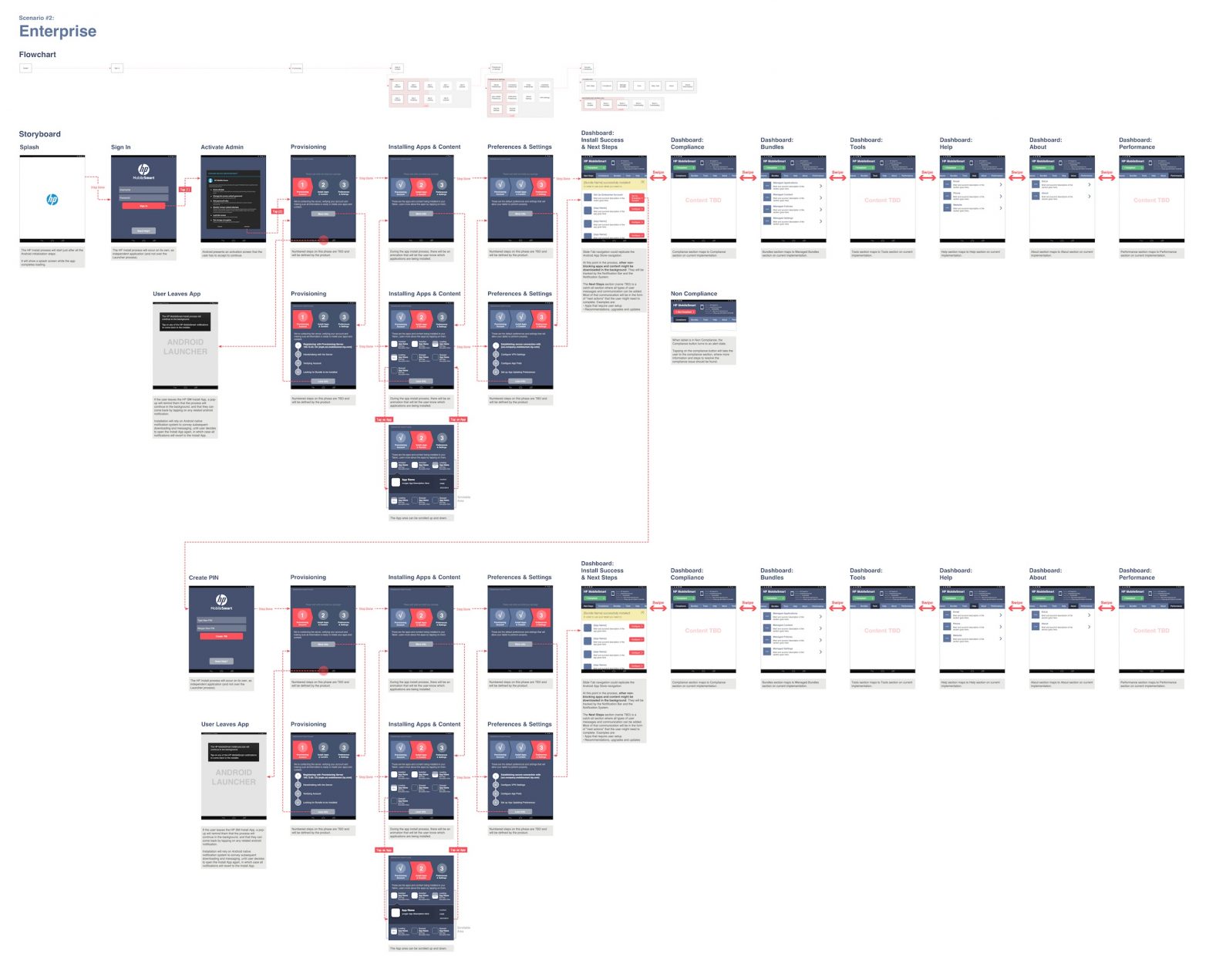
Enterprise Mode
Enterprise Mode — a separate onboarding flow designed for corporate tablet deployment.

Kiosk Mode
Kiosk Mode — onboarding for tablets deployed in standalone, kiosk, or demo configurations.
A legible three-step structure for self-service users
The onboarding covered account provisioning, app and content installation, and preferences and settings. For a self-service context — where no IT support is present — the user needed to understand where they were in the process and what was coming next at all times.
The three steps were made explicit and persistent throughout the flow, with progress visible at each stage.


Results
A self-service tablet onboarding experience designed across three deployment modes — Education, Enterprise, and Kiosk — covering account provisioning, app installation, and device configuration. The three-step flow made apps available to users progressively during installation rather than after it completed.
3 deployment modes · 3-step onboarding flow · self-service, no IT support required